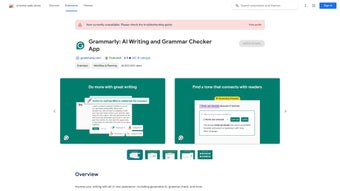

Download Grammarly Desktop – Free Writing Assistant for Windows, Secure Grammar Check, Real‑time Suggestions
Overview – Why Grammarly Desktop Is the Go‑to Tool for Flawless Writing
Grammarly Desktop brings the power of the world‑renowned online grammar engine directly to your Windows PC. Designed as a lightweight, always‑on‑top add‑on, it works silently in the background while you type in any web‑based editor, from Gmail and Outlook to social platforms like Facebook, LinkedIn, and even internal corporate portals. The moment you pause, Grammarly scans the sentence for over 400 common errors, ranging from simple misspellings to complex subject‑verb agreement issues, punctuation misuse, and tone inconsistencies.
Because the engine lives on your desktop, the latency is practically zero – suggestions appear instantly, letting you keep the flow of thought uninterrupted.
The application is free to download and install, with an optional premium upgrade that unlocks advanced style checks, plagiarism detection, and a richer vocabulary enhancement suite. Even the free version offers a robust safety net for everyday writers, students, and professionals who need to maintain a high standard of communication without paying a subscription fee.
Security is baked in: all text is processed locally or via encrypted HTTPS connections, ensuring that confidential information never leaks to third parties.
What truly sets Grammarly Desktop apart is its intuitive UI. When an error is detected, a small green‑blue icon appears in the system tray, and the offending word or phrase is underlined in red (for critical errors) or blue (for style suggestions).
A simple right‑click brings up a contextual menu with a brief explanation, a suggested correction, and a one‑click “Apply” button. The tool also learns from your accepted suggestions, gradually tailoring its feedback to match your personal writing style. Whether you are drafting a client proposal, replying to a colleague on Teams, or posting a quick tweet, Grammarly Desktop guarantees that your message is polished, professional, and ready to make an impact.
Key Features – The Engine Behind Grammarly Desktop’s Real‑time Accuracy
- Real‑time Grammar & Spell Checking – Detects over 400 types of errors instantly, including typographical mistakes, incorrect article usage, and misplaced modifiers.
- Contextual Punctuation Guidance – Offers precise recommendations for commas, semicolons, apostrophes, and hyphens, adapting to the sentence’s meaning.
- Subject‑Verb Agreement Analyzer – Ensures that verbs correctly match their subjects in number and person, a common pitfall for non‑native speakers.
- Intelligent Dictionary & Synonym Suggestions – Provides alternative word choices to improve clarity and avoid repetition, while respecting the tone you intend.
- Tone Detector – Evaluates the overall sentiment of your text (formal, friendly, confident, etc.) and suggests adjustments to align with your audience.
- One‑click Corrections – Right‑click on highlighted text to view a concise explanation and apply the recommended fix with a single click.
- Cross‑Platform Integration – Works seamlessly with Chrome, Edge, Firefox, and any web‑based editor, plus native Windows applications that support standard text input.
- Secure Cloud Processing – All data transfers are encrypted; the free version processes most checks locally, minimizing exposure of sensitive content.
- Customizable Preferences – Users can toggle specific rule categories, set language (American, British, Canadian, Australian English), and adjust notification settings.
- Lightweight Footprint – Consumes less than 150 MB RAM while idle, ensuring that your PC’s performance remains unaffected.
Each feature is built on a sophisticated machine‑learning model that has been trained on billions of sentences from diverse sources. This depth of training enables Grammarly Desktop to recognize subtle nuances that rule‑based grammar checkers often miss. For example, the tool can differentiate between “who” and “whom” based on sentence function, or identify when a comma splice would confuse the reader. The synergy of these features means that you receive comprehensive feedback without being overwhelmed by redundant alerts. Moreover, the application’s modular design allows future updates to introduce new rule sets without requiring a complete reinstall, keeping the software current with evolving language standards.
Installation, Compatibility, and Practical Pros & Cons
Step‑by‑Step Installation Guide
Installing Grammarly Desktop is straightforward. First, visit the official Grammarly website and click the “Download for Windows” button. The installer (GrammarlySetup.exe) is under 30 MB, making it ideal even for slower internet connections. Once the file is saved, double‑click to launch the wizard. The process follows a typical Windows installation flow:
- Accept the End‑User License Agreement and privacy policy.
- Choose an installation directory (default is
C:\Program Files\Grammarly). - Select whether to add a shortcut to the desktop and to start the app automatically on Windows login.
- Click “Install” and wait for the progress bar to complete (usually under a minute).
- After installation, launch the application; you’ll be prompted to create a free Grammarly account or sign in with an existing one.
The first launch includes a brief tutorial that explains the icon behavior, how to access suggestions, and how to customize preferences. Once configured, the add‑on appears in your browser’s extension toolbar and as a system‑tray icon for quick access.
System Requirements & Compatibility (itemprop="operatingSystem")
Grammarly Desktop is officially supported on Windows 10 (64‑bit) and Windows 11. Minimum hardware requirements are modest: a 1 GHz processor, 2 GB RAM, and 200 MB of free disk space. The software is compatible with the latest versions of Chrome, Microsoft Edge, Firefox, and Opera, and it also works in any web‑based text field that accepts standard keyboard input, such as Microsoft Teams, Slack Web, and Google Docs (via the browser). Because the core engine runs locally, the tool remains functional even when offline, though premium cloud‑based suggestions (like plagiarism detection) require an active internet connection.
Pros & Cons
- Pros
- Instant, real‑time feedback without noticeable lag.
- Comprehensive rule set covering grammar, punctuation, tone, and style.
- Free version provides essential error detection for everyday use.
- Lightweight and does not slow down other applications.
- Secure processing with encrypted connections and local analysis.
- Highly customizable – turn off categories you don’t need.
- Cons
- Advanced features (plagiarism checker, genre‑specific style guides) require a paid subscription.
- Limited native integration with non‑browser Windows apps (e.g., Microsoft Word desktop version).
- Occasional false positives on highly technical jargon or brand‑specific terminology.
- Requires a Microsoft account for full synchronization across devices.
Frequently Asked Questions (FAQ) and Final Thoughts – Download Grammarly Desktop Today
Is Grammarly Desktop completely free or are there hidden costs?
Grammarly Desktop offers a robust free tier that includes grammar, spelling, and basic style checks. Premium features such as advanced style recommendations, plagiarism detection, and genre‑specific writing guides require a paid subscription, but there are no hidden fees in the free version.
Does Grammarly store my text on its servers?
All text is transmitted over HTTPS and processed in encrypted form. The free version performs most checks locally on your computer, while premium cloud‑based analyses are securely handled on Grammarly’s servers and are not stored permanently.
Can I use Grammarly Desktop with Microsoft Word?
Grammarly offers a separate add‑in for Microsoft Word (Windows) that works alongside the desktop app. However, the core Grammarly Desktop extension focuses on web‑based editors; for full Word integration you’ll need to install the dedicated Word add‑in from Grammarly’s website.
Will Grammarly slow down my PC?
The application is designed to be lightweight, typically using less than 150 MB of RAM while idle. Users report negligible impact on system performance, even on older hardware.
How often does Grammarly Desktop receive updates?
Grammarly releases regular updates—usually once a month—to improve detection algorithms, add new rules, and enhance security. The updater runs automatically in the background, ensuring you always have the latest protection.
Conclusion – Take Control of Your Writing Today
If you spend any amount of time composing emails, reports, or social‑media posts, a reliable grammar assistant is no longer a luxury—it’s a necessity. Grammarly Desktop delivers a seamless, secure, and instantly responsive experience that fits naturally into the Windows ecosystem. Whether you opt for the free version or decide to upgrade for premium capabilities, the tool empowers you to write with confidence, reduce embarrassing mistakes, and maintain a professional tone across all channels.
Ready to upgrade your writing workflow? Download Grammarly Desktop now and start polishing your text in real time. The free version is available immediately, and you can explore premium features with a risk‑free trial. Don’t let avoidable errors undermine your credibility—let Grammarly Desktop be your silent partner in achieving clear, compelling communication.







